
How I Shoot Anamorphic with the DJI Osmo Pocket 4P
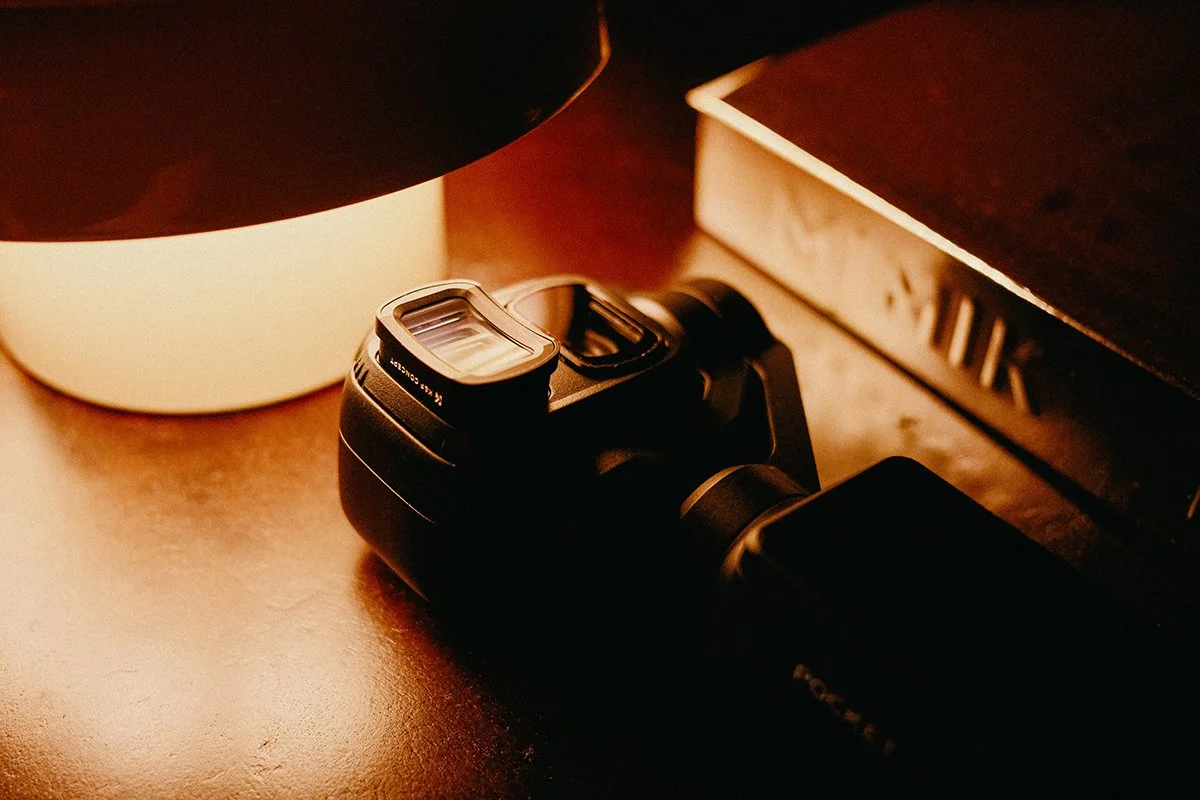
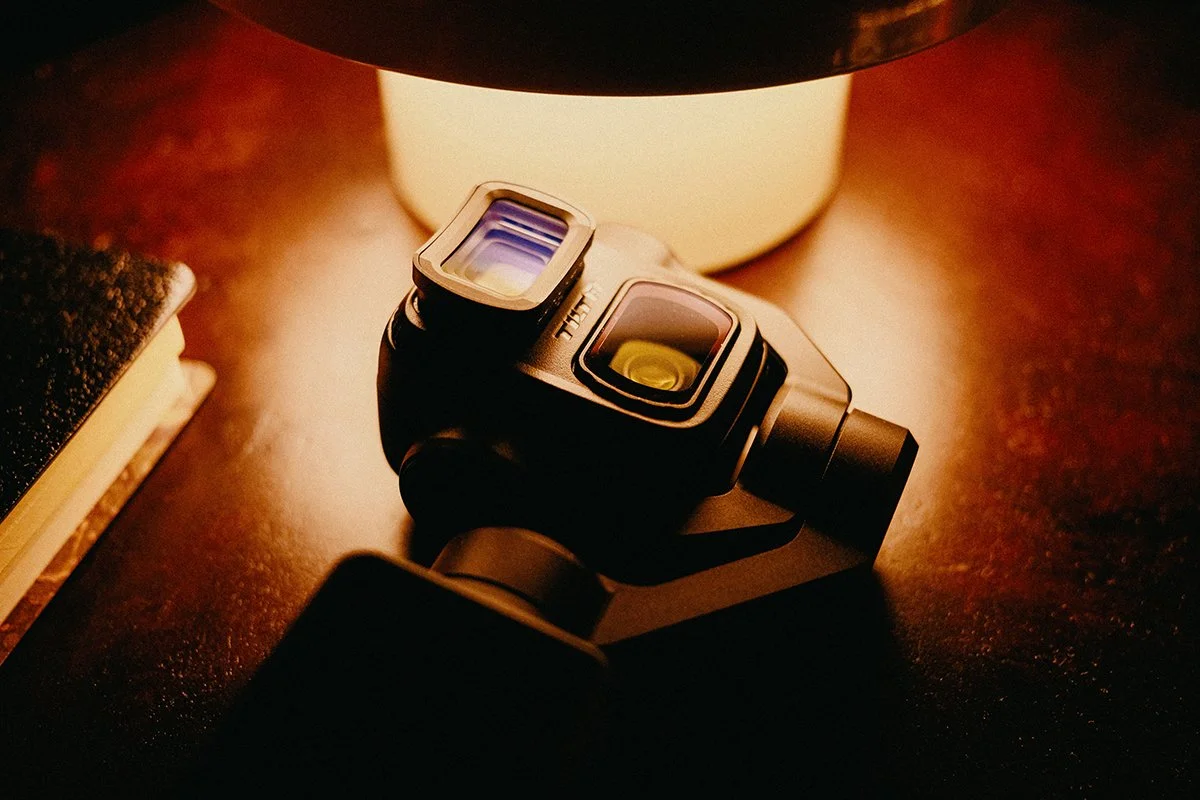
The DJI Osmo Pocket 4P is a compact camera with a surprisingly versatile 3x lens, and lately, I’ve been experimenting with it to achieve a more cinematic, anamorphic look in my videos. There is one problem, though: there isn’t a dedicated anamorphic adapter designed specifically for the Pocket 4P. Instead of waiting for a purpose-built solution, I decided to combine two existing accessories to make it work.
In this article, I’ll explain the setup I use, how I attach the adapter, what limitations I’ve encountered and a few things worth knowing before trying it yourself.
The Setup
My setup combines two products:
1. K&F Concept Anamorphic Adapter
The anamorphic adapter is designed for the DJI Osmo Pocket 3/4. It provides the anamorphic optical effect that I’m looking for, giving the image a different character from the camera’s standard footage. [Link]
2. Tilta Filter Adapter
To mount the anamorphic adapter, I use the Tilta filter adapter for the Osmo Pocket series. Combining these two products allows me to experiment with anamorphic shooting on the Pocket 4P, even though neither accessory was specifically designed as a complete Pocket 4P anamorphic solution. [Link]
My preferred configuration is the 3x lens. This is the setup I generally use for my anamorphic footage because it allows me to achieve the look I want while avoiding one of the main mechanical limitations of this combination.
Why I use the 3x lens
Although this setup can also be attempted with the 1x lens, there is an important limitation to consider. When using the anamorphic adapter on the 1x lens, the gimbal may get stuck while the camera is powering on and performing its initial movements. The combination of the adapter and the available clearance can leave insufficient room for the gimbal to move freely, particularly when it tilts upward. This does not happen every time. The Pocket 4P does not necessarily follow an identical movement path when centering the gimbal during startup, so the result can vary. However, the possibility of interference is something you should take seriously.
For this reason, I generally prefer to use the 3x lens with this combination of accessories.
Keep in mind that this is an improvised setup, not an officially supported configuration. Before using it, check that the adapter does not obstruct the gimbal's movement. Never force the gimbal if it encounters resistance.
The anamorphic look in my videos
If you’ve watched some of my recent videos on YouTube, you may have noticed a distinctive cinematic look, with a wider aspect ratio and a stylized appearance around the edges of the image. The anamorphic adapter is responsible for the anamorphic image, but the softness and blur you may notice around the edges are not produced by the adapter itself. They are part of my personal look, which I create in post-production using Cinephoria16™ PowerGrade for DaVinci Resolve.
The PowerGrade includes three blur and radial blur options that allow me to experiment with different types and levels of blur around the edges of the frame. I use these effects as an artistic choice to create a more atmospheric, dreamy image that fits the mood of my videos. They are entirely optional and separate from the optical characteristics of the anamorphic adapter.
Desqueezing the anamorphic image
Another important detail when working with this setup is the desqueeze factor. To achieve the intended aspect ratio, the anamorphic image needs to be desqueezed correctly in post-production. In my workflow, I use a vertical scaling factor of approximately 83% of the original video height because of the 1.2x anamorphic factor of the specific lens adapter to restore the image to its normal proportions. Getting this step right is essential. Without the correct desqueeze, the image will appear unnaturally stretched horizontally, with distorted proportions. Once corrected, you can work with the resulting wider image and apply any additional creative adjustments you prefer.
The final look you see in my videos is therefore a combination of the anamorphic optics, the correct desqueeze and my own post-production choices in DaVinci Resolve.
The biggest downside
There is one significant drawback to this setup: you cannot attach ND filters in my current configuration. If you shoot video outdoors, this can be a serious limitation. I normally prefer to maintain a shutter speed close to twice the frame rate, following the familiar 180-degree shutter rule. For example, when shooting at 25 fps, I aim for a shutter speed of 1/50 second. In bright daylight, an ND filter is necessary to maintain that shutter speed without overexposing the image. With this anamorphic combination, the lack of an ND filter solution makes that much more difficult. You may have to compromise on shutter speed, adjust your exposure in other ways, or accept that certain lighting conditions are less suitable for this setup. If maintaining natural motion blur in bright daylight is essential to your workflow, this is something to consider before investing in the accessories.
Is this setup worth trying?
For me, combining the K&F anamorphic adapter with the Tilta filter adapter has been an interesting way to explore a different visual style with the DJI Osmo Pocket 4P. It is not a perfect solution. The potential gimbal clearance issue on the 1x lens and the lack of an ND filter option are real compromises. Nevertheless, when used carefully with the 3x lens, it offers an alternative for experimenting with anamorphic imagery on a compact camera.
I would recommend researching both products thoroughly before purchasing them and checking their current compatibility information. This is a combination of accessories rather than a dedicated, officially supported Pocket 4P anamorphic system, so your results may vary.
A closer look at the image quality
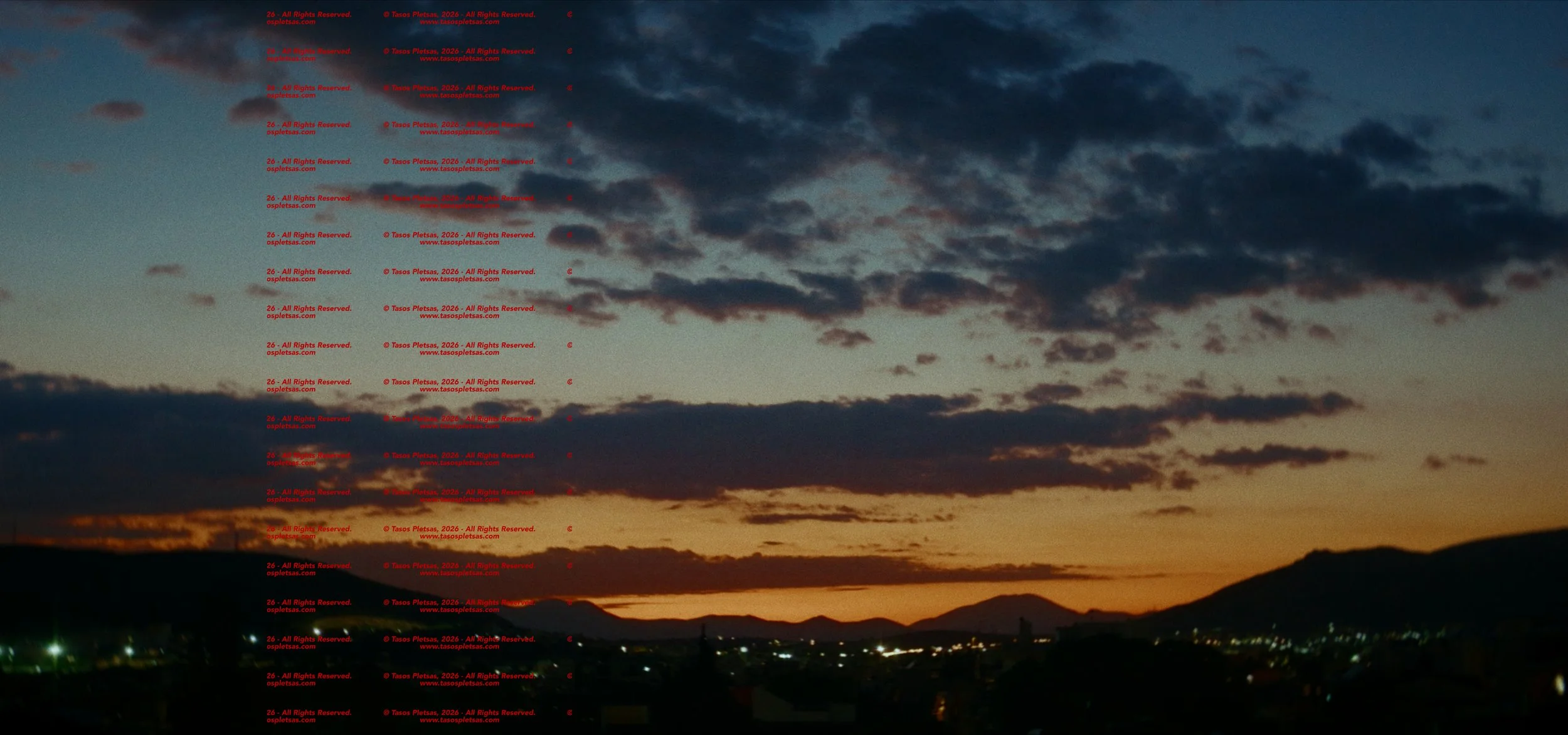
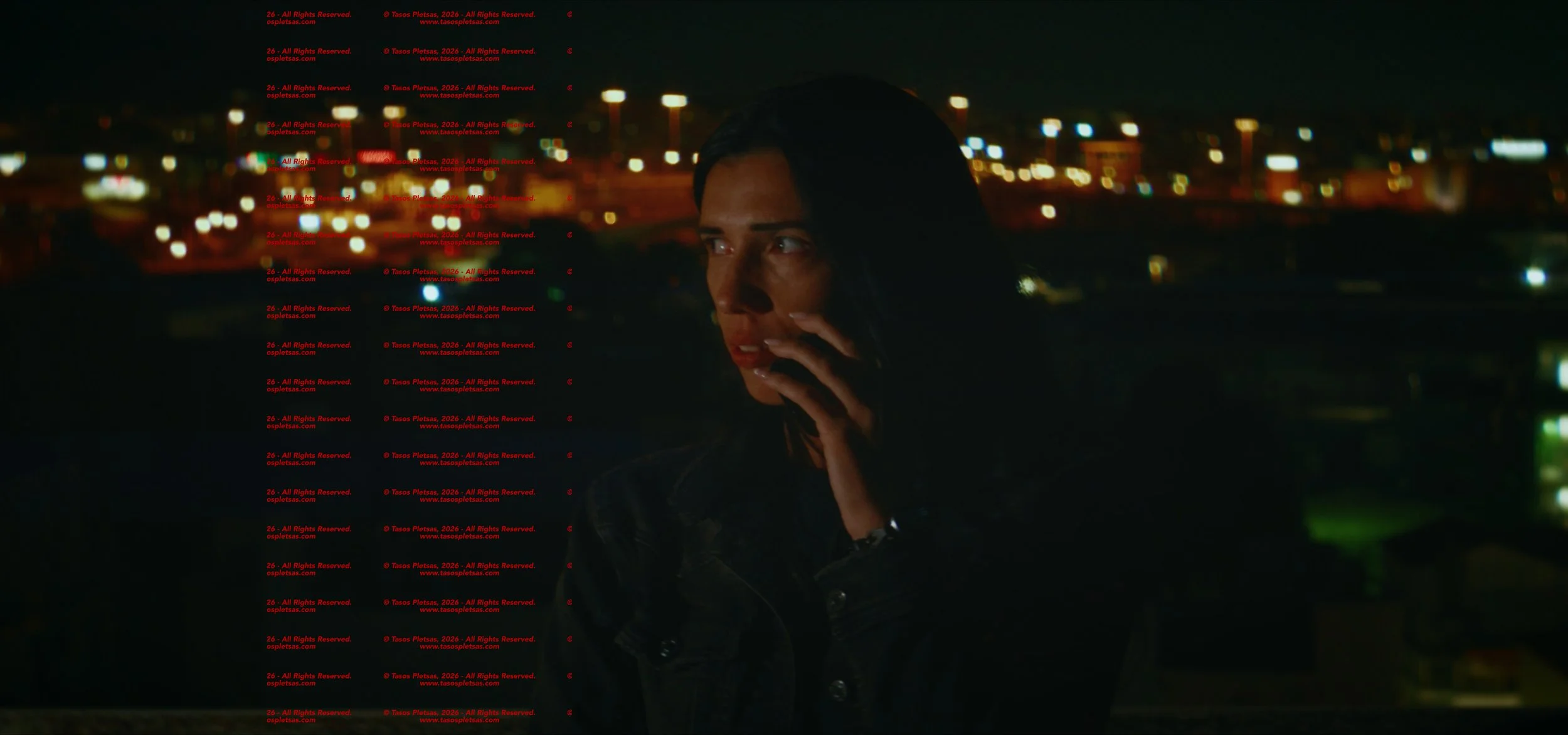
YouTube compression can affect the final appearance of a video, particularly when it comes to fine details, textures, gradients, and subtle color variations. While the platform is convenient for sharing my work, the image you see on YouTube isn't always a perfect representation of the original footage.
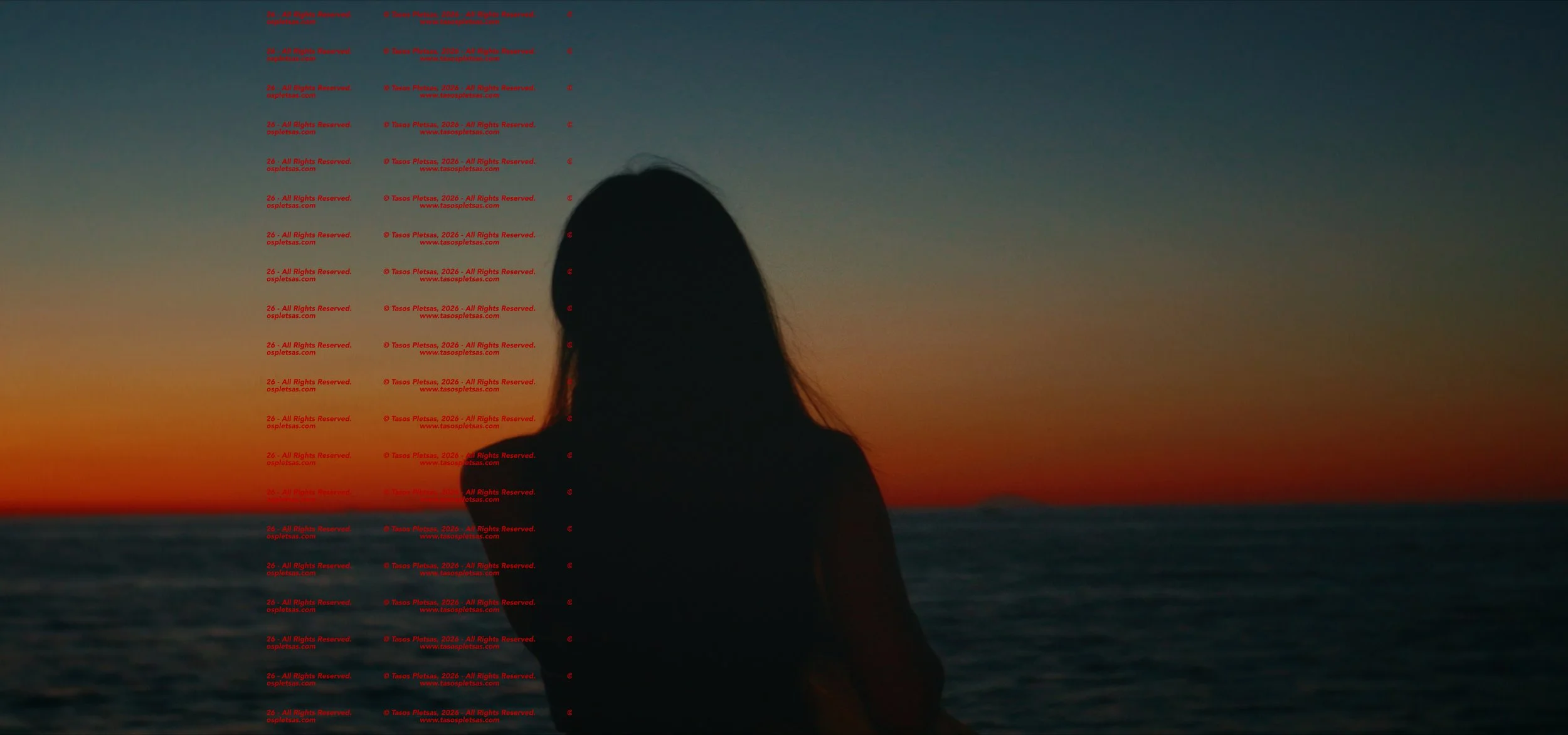
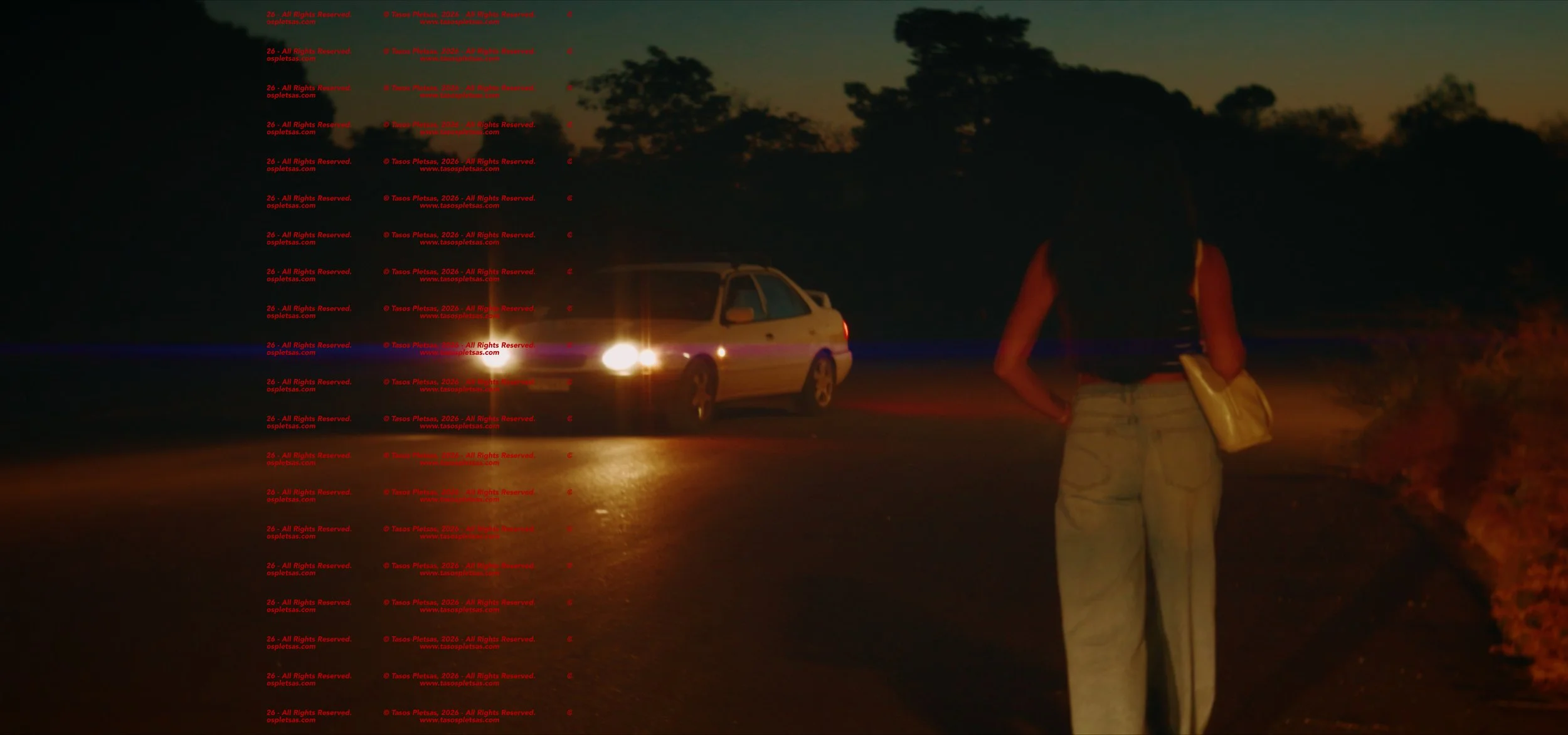
That's why I've included a few screen grabs directly from my DaVinci Resolve project. These images offer a closer look at the footage before YouTube compression, allowing you to appreciate the detail, colors and overall image quality more clearly.
They also give you a better idea of what this anamorphic setup can achieve in real-world shooting conditions, including the final look I create through my color grading and post-production process.
Keep in mind that these are frames from my actual video projects, so they reflect not only the camera and anamorphic adapter but also my own grading and creative choices.
One final note
I am not affiliated with K&F Concept or Tilta and I do not receive commissions from either company for these products. The accessories mentioned here are simply the ones I use for my own experiments. Please do your own research before buying anything.
I’ll continue experimenting with the Pocket 4P and exploring how far I can push its image creatively. For me, that is part of the fun: finding new ways to create a distinctive look with a small camera.
You can find my latest experiments on my YouTube channel.